
 EN
EN




Augmented reality is transforming how brands connect with their audiences, moving beyond passive visual experiences to create immersive touchpoints that drive engagement and recall. For businesses seeking innovative ways to maintain year-round brand presence, embedding AR technology into physical calendars represents a powerful convergence of utility and interactive storytelling. An AR calendar bridges the tactile appeal of traditional print media with the dynamic capabilities of digital content, turning everyday scheduling tools into branded engagement platforms that users interact with daily throughout the entire year.
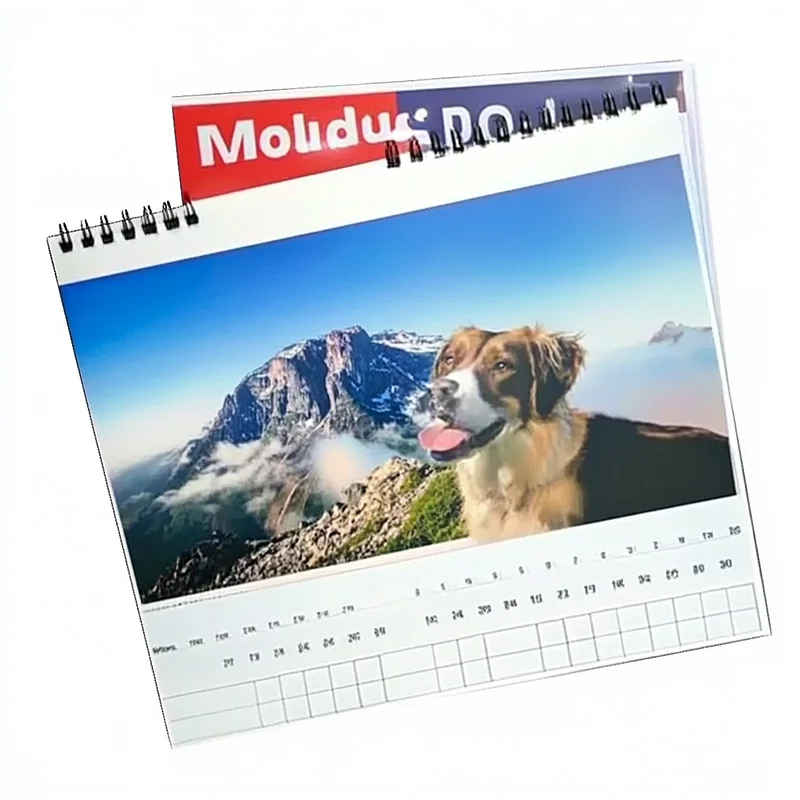
The process of integrating augmented reality features into calendar products requires careful coordination between print production capabilities, AR development frameworks, and strategic content planning that aligns with brand objectives. Unlike standalone digital campaigns, an AR calendar creates persistent value by embedding interactive experiences within an object that occupies prominent physical space in homes and offices. This hybrid approach leverages the best attributes of both physical and digital media, combining the permanence and tactile satisfaction of printed materials with the flexibility and engagement potential of augmented reality experiences that can be updated, personalized, and measured throughout the calendar's lifecycle.
Understanding AR Calendar Technology Integration
Core Components of AR-Enabled Calendar Systems
The foundation of any AR calendar implementation rests on three interconnected elements that work together to deliver seamless augmented experiences. First, the physical calendar itself must be designed with AR markers or visual triggers embedded within its printed design—these can be distinctive graphics, patterns, or even the entire calendar page layout that serves as a recognition target for AR applications. Second, a mobile application or web-based AR platform provides the scanning and rendering engine that detects these markers and overlays digital content when users point their smartphone cameras at the calendar. Third, a content management system stores and delivers the augmented reality assets, enabling brand managers to update experiences, track engagement metrics, and personalize content based on user behavior or calendar dates.
Modern AR calendar solutions typically employ image recognition technology rather than QR codes, creating more aesthetically pleasing designs that don't compromise the calendar's visual appeal. Advanced implementations utilize marker-less AR tracking that recognizes calendar pages through natural feature detection, eliminating the need for obvious trigger graphics. The AR calendar printing process must account for color consistency and print resolution requirements that ensure reliable marker recognition across varying lighting conditions and camera capabilities. Integration planning should begin during the initial design phase, ensuring that AR markers complement rather than detract from the calendar's primary function as a scheduling and organizational tool.
Technical Requirements for Print Production
Manufacturing an AR calendar demands higher print quality standards than conventional calendar production, as recognition accuracy depends on precise color reproduction and sharp edge definition. Offset printing or high-resolution digital printing methods work best for AR calendar applications, maintaining the visual fidelity required for consistent marker detection. Paper stock selection impacts both the calendar's durability and AR performance—semi-gloss or matte finishes typically provide better results than high-gloss surfaces that create reflective hotspots interfering with camera-based recognition. Print resolution should meet or exceed 300 DPI for areas containing AR markers, while color management protocols ensure that marker colors fall within the recognition tolerance of the chosen AR platform.
The binding method affects how users interact with the AR calendar during scanning—spiral-bound or ring-bound formats allow pages to lie flat, facilitating easier smartphone positioning and more stable AR experiences. Wall calendar formats require consideration of viewing distance and angle, as users typically stand several feet away when scanning markers. Testing protocols should verify marker recognition performance across representative smartphone models, lighting environments, and user positions before committing to full production runs. Collaboration between print production teams and AR developers early in the design phase prevents costly revisions and ensures that technical requirements align with aesthetic objectives and brand guidelines.
Strategic Content Development for AR Calendar Experiences
Aligning AR Content with Calendar Function and Brand Goals
Effective AR calendar experiences enhance rather than distract from the calendar's core utility while simultaneously advancing specific brand objectives. Content strategy should map augmented experiences to calendar dates in ways that provide genuine value—promotional campaigns timed to relevant dates, how-to videos appearing when users need them, seasonal product showcases, or entertaining brand stories that reward regular engagement. Each month can deliver distinct AR experiences that build narrative continuity throughout the year, creating anticipation that encourages users to return to the AR calendar repeatedly. Brands should resist the temptation to pack excessive content into every interaction, instead focusing on quality experiences that respect users' time and attention.
Content types suitable for AR calendar integration include 3D product visualizations that let users examine items from multiple angles, instructional videos demonstrating product applications or techniques, interactive games or challenges tied to brand values, virtual showroom tours, customer testimonials presented as video stories, behind-the-scenes footage revealing brand culture, and personalized messages from company leadership. The monthly calendar format naturally supports serialized content strategies where each month's AR experience advances a larger narrative or educational journey. Analytics integration enables brands to identify which content types generate highest engagement, informing both current calendar updates and future AR calendar development cycles.
Designing Intuitive User Interaction Flows
User experience design for an AR calendar must accommodate varying levels of technical comfort while maintaining simple, intuitive interaction patterns that don't require extensive instructions. Clear visual cues on the calendar itself should indicate which elements trigger AR experiences, using subtle design elements like corner icons or distinctive graphic treatments that suggest interactivity without cluttering the layout. The first-time user experience demands particular attention—onboarding flows should quickly demonstrate how to activate AR features through brief tutorial content or sample experiences that build confidence and understanding.
Interaction design should minimize the steps between recognizing AR potential and experiencing augmented content, ideally requiring only app launch and camera pointing without complex menu navigation. Loading times significantly impact user satisfaction—AR calendar assets should be optimized for quick delivery even on slower mobile connections, with progressive loading techniques that display initial content rapidly while higher-resolution elements stream in the background. Fallback mechanisms ensure graceful degradation when network connectivity is poor or AR recognition temporarily fails, perhaps offering static content alternatives or clear messaging about connection requirements rather than leaving users confused by non-responsive features.
Technical Implementation Pathways for AR Calendar Deployment
Selecting the Right AR Platform Architecture
Organizations implementing AR calendar projects face a fundamental choice between native mobile applications, web-based AR experiences, or hybrid approaches that combine elements of both. Native apps provide the richest feature sets and best performance, supporting advanced AR capabilities like spatial mapping, persistent content placement, and offline functionality. However, native development requires users to download and install dedicated applications, creating friction that reduces adoption rates. Web-based AR leverages WebXR and similar standards to deliver augmented experiences directly through mobile browsers without installation requirements, significantly lowering barriers to engagement but with some limitations on advanced features and performance optimization compared to native implementations.
For most AR calendar applications, web-based AR platforms offer the optimal balance between capability and accessibility, eliminating download friction while providing sufficient functionality for marker recognition, 3D content rendering, and video playback. Progressive web app techniques can add native-like features including home screen installation, push notifications, and improved offline support while maintaining the distribution advantages of web delivery. Platform selection should account for target audience technical sophistication—B2B audiences may accept native app requirements more readily than consumer segments, while youth-oriented brands might leverage social media AR platforms like Instagram or Snapchat filters that users already have installed, using the AR calendar as trigger points for platform-native experiences.
Content Management and Update Infrastructure
The true power of an AR calendar emerges from its ability to deliver fresh content throughout its lifecycle rather than relying solely on assets embedded at production time. A robust content management system enables brand teams to schedule content releases aligned with marketing campaigns, respond to real-time events with timely AR experiences, and personalize content based on user preferences or behavior patterns. Cloud-based asset delivery ensures that users always access current content without requiring app updates, while caching strategies balance freshness with performance by storing frequently accessed elements locally on user devices.
Version control mechanisms allow brands to test AR calendar content with small user groups before broad release, gathering feedback and metrics that inform refinements. A/B testing capabilities enable comparison of different content approaches, determining which AR experiences generate strongest engagement and conversion outcomes. The infrastructure should support multiple content formats including 3D models in formats like GLTF, video files optimized for mobile playback, image overlays, audio narration, and interactive elements with touch responsiveness. Analytics integration tracks not just whether users scan AR calendar markers but how long they engage with content, which elements they interact with, and what actions they take following AR experiences—data that proves marketing value and guides ongoing optimization.
Measuring AR Calendar Impact and ROI
Establishing Meaningful Engagement Metrics
Quantifying the success of an AR calendar initiative requires metrics that go beyond simple scan counts to capture depth of engagement and business impact. Primary metrics include unique users who activate AR features, frequency of AR calendar interactions per user, average session duration when engaging with augmented content, and completion rates for interactive experiences or video content. These usage patterns reveal whether the AR calendar successfully captures sustained attention or merely generates initial curiosity that quickly fades. Comparing engagement rates across different months or content types identifies what resonates with audiences, informing both real-time content adjustments and future calendar development.
Conversion metrics connect AR calendar engagement to business outcomes by tracking actions users take after experiencing augmented content—website visits, product inquiries, purchases, social media follows, or newsletter signups. Attribution tracking links these conversions specifically to AR calendar interactions rather than other marketing touchpoints, establishing clear ROI that justifies the investment in AR technology and content development. Retention analysis examines how long users continue engaging with the AR calendar over months, revealing whether the concept maintains interest or suffers from novelty decay. Comparative benchmarking against traditional printed calendars without AR features or against digital-only campaigns provides context for understanding the incremental value that augmented reality brings to the brand interaction equation.
Qualitative Assessment of Brand Perception Impact
Beyond quantitative metrics, AR calendar success includes qualitative dimensions related to brand perception and emotional connection that require different assessment approaches. Surveys and interviews with AR calendar users uncover whether the augmented experiences enhance brand perception, create memorable moments, or differentiate the brand from competitors in meaningful ways. Sentiment analysis of social media mentions related to the AR calendar reveals spontaneous user reactions and word-of-mouth amplification effects. Brand lift studies comparing awareness, consideration, and preference metrics between users who engage with AR calendar features and control groups who receive traditional calendars isolate the specific brand-building impact of augmented reality integration.
User-generated content represents a powerful indicator of AR calendar success—when recipients share their augmented experiences through photos, videos, or social media posts, they extend brand reach organically while demonstrating genuine enthusiasm that carries more authenticity than paid advertising. Monitoring the volume and sentiment of this organic content provides insight into which AR calendar elements inspire sharing behavior. Long-term relationship indicators like customer lifetime value, repeat purchase rates, and referral generation among AR calendar recipients compared to other audience segments reveal whether the enhanced interaction translates to deeper, more valuable customer relationships that persist beyond the calendar year itself.
Overcoming Implementation Challenges and Optimization
Addressing Technical and User Experience Obstacles
Even well-designed AR calendar implementations encounter practical challenges that require proactive solutions. Marker recognition failures frustrate users and undermine engagement—causes include inadequate lighting, camera positioning issues, printed color variation, or physical damage to calendar pages. Robust AR platforms incorporate fallback recognition algorithms that work across wider tolerance ranges, while clear printed instructions help users optimize lighting and positioning. Testing across diverse real-world conditions during development identifies potential failure modes before mass distribution, allowing refinements that improve recognition reliability.
Network connectivity represents another common obstacle, particularly for users in areas with limited mobile data coverage or those reluctant to use cellular data for AR experiences. Designing AR calendar content with modest bandwidth requirements ensures accessibility across connection speeds, while progressive loading techniques display basic content quickly before streaming higher-quality assets. Offline modes that cache essential content enable core AR calendar functionality even without active connections, though with reduced content variety or update frequency. Clear communication about data usage and WiFi recommendations manages user expectations while offering transparency that builds trust.
Continuous Improvement Through Iteration Cycles
The most successful AR calendar programs treat the first implementation as a learning platform rather than a finished product, establishing systematic improvement processes informed by user data and feedback. Regular content refresh cycles keep experiences novel and relevant, replacing underperforming AR elements with new approaches that address revealed user preferences. Technical optimization reduces load times, improves recognition accuracy, and streamlines interaction flows based on observed usage patterns and friction points. Expanding content variety maintains interest among frequent users while providing entry points that appeal to different audience segments within the calendar recipient base.
Stakeholder feedback loops incorporate perspectives from both users and internal teams including sales personnel who distribute calendars, customer service representatives who field questions, and marketing strategists who evaluate campaign effectiveness. Cross-functional review sessions synthesize these inputs into actionable improvement priorities that balance technical feasibility, resource constraints, and strategic impact. Documentation of lessons learned from each AR calendar iteration builds institutional knowledge that accelerates future projects, preventing repeated mistakes while propagating successful approaches across product lines, geographic markets, or business units adopting the AR calendar model.
FAQ
What makes an AR calendar more effective than traditional digital marketing?
An AR calendar combines the physical presence and daily utility of a printed calendar with interactive digital experiences, creating persistent brand touchpoints that users engage with repeatedly throughout the year. Unlike digital ads that compete for attention in crowded online environments, the AR calendar occupies physical space in homes and offices where it serves genuine functional value while offering optional augmented experiences. This hybrid approach generates higher engagement rates because users choose when to activate AR features rather than having content forced upon them, creating positive associations between the brand and value-added experiences. The extended interaction timeline spanning twelve months provides far more impression opportunities than typical campaign durations, while the novelty factor of AR technology generates word-of-mouth amplification as users share experiences with colleagues and friends.
How much does it cost to develop and deploy an AR calendar program?
AR calendar implementation costs vary widely based on technical complexity, content sophistication, distribution scale, and whether organizations build custom solutions or leverage existing AR platforms. Basic implementations using template-based web AR platforms with simple image overlay content might range from five thousand to fifteen thousand dollars for initial setup and first-year content, while custom native applications with advanced 3D content, personalization features, and extensive analytics could require investments from fifty thousand to several hundred thousand dollars. Ongoing costs include content creation and updates, platform hosting and data delivery, analytics services, and technical support. Print production for AR-enabled calendars typically adds only marginal cost compared to standard high-quality calendars—perhaps ten to twenty percent premium for the higher print standards and any special marker requirements. Organizations should evaluate costs against customer lifetime value, comparing AR calendar investments to other marketing channels on a cost-per-engagement or cost-per-conversion basis rather than absolute expenditure alone.
Can AR calendar technology work with existing calendar designs or does it require complete redesign?
Many existing calendar designs can accommodate AR technology through relatively minor modifications rather than complete overhauls, though the extent of required changes depends on design complexity and AR implementation approach. Marker-based AR systems need distinctive visual elements incorporated into each page—these can often be integrated as corner graphics, background patterns, or decorative elements that complement existing layouts without dominating the visual hierarchy. Marker-less AR using natural feature recognition may work with existing designs if pages contain sufficient visual detail and contrast for reliable recognition, though some enhancement of distinctive elements often improves reliability. The most seamless integration occurs when AR considerations inform initial design, allowing markers to serve dual purposes as both recognition triggers and aesthetic elements that enhance rather than compromise the calendar's appearance. Brands with established calendar designs should consult with AR developers during planning phases to identify the minimal modifications necessary for reliable technical performance while preserving brand consistency and visual appeal.
What type of content performs best in AR calendar applications for maintaining year-long engagement?
High-performing AR calendar content balances entertainment value with practical utility, delivering experiences that users actively seek rather than tolerate as marketing intrusions. Instructional content demonstrating product applications or industry techniques generates sustained engagement because users return when they need specific information, while serialized storytelling creates anticipation for next month's installment that maintains ongoing interest. Seasonal or timely content aligned with calendar dates feels relevant and contextual—holiday recipes, seasonal decorating ideas, or event-specific promotions that match when users naturally engage with those topics. Interactive elements like quizzes, challenges, or customization tools encourage active participation rather than passive viewing, deepening engagement and memory formation. Exclusive content unavailable through other channels rewards calendar recipients with special access that reinforces their valued status. Successful programs mix content types throughout the year, preventing predictability while addressing diverse user interests and engagement modes that maintain freshness across extended interaction timelines.
Table of Contents
- Understanding AR Calendar Technology Integration
- Strategic Content Development for AR Calendar Experiences
- Technical Implementation Pathways for AR Calendar Deployment
- Measuring AR Calendar Impact and ROI
- Overcoming Implementation Challenges and Optimization
-
FAQ
- What makes an AR calendar more effective than traditional digital marketing?
- How much does it cost to develop and deploy an AR calendar program?
- Can AR calendar technology work with existing calendar designs or does it require complete redesign?
- What type of content performs best in AR calendar applications for maintaining year-long engagement?